Policy, Terms, and Instructions for Canceling Your Membership
I want you to succeed.
Whether that’s with me inside Home Studio Rockstars or with support from another coach, mentor, community, or program, what matters most is that you continue making progress on your music and your creative goals.
Even if you decide it’s time to leave the community, I hope you keep writing, recording, mixing, releasing, and building momentum. I believe in you, and I’m rooting for your success.
Because when one musician succeeds, it inspires all of us to keep creating.
Policy and Terms: Important Please Read!
Canceling your Home Studio Rockstars Community membership:
- Upon canceling your membership, you will be removed from the Home Studio Rockstars Community at the end of your billing cycle.
- You will retain access to community content, livestream replays, and included training until the end of your current billing period.
- There are no refunds for any time remaining on your billing cycle.
- Recording Studio Rockstars reserves the right to suspend or terminate memberships at any time for violations of the Terms of Use or Community Guidelines.
- Please review our Refund Policy for additional details.
Instructions: How to Cancel Your Membership
- Log in to your account at HomeStudioRockstars.club.
- Click your avatar in the upper-right corner.
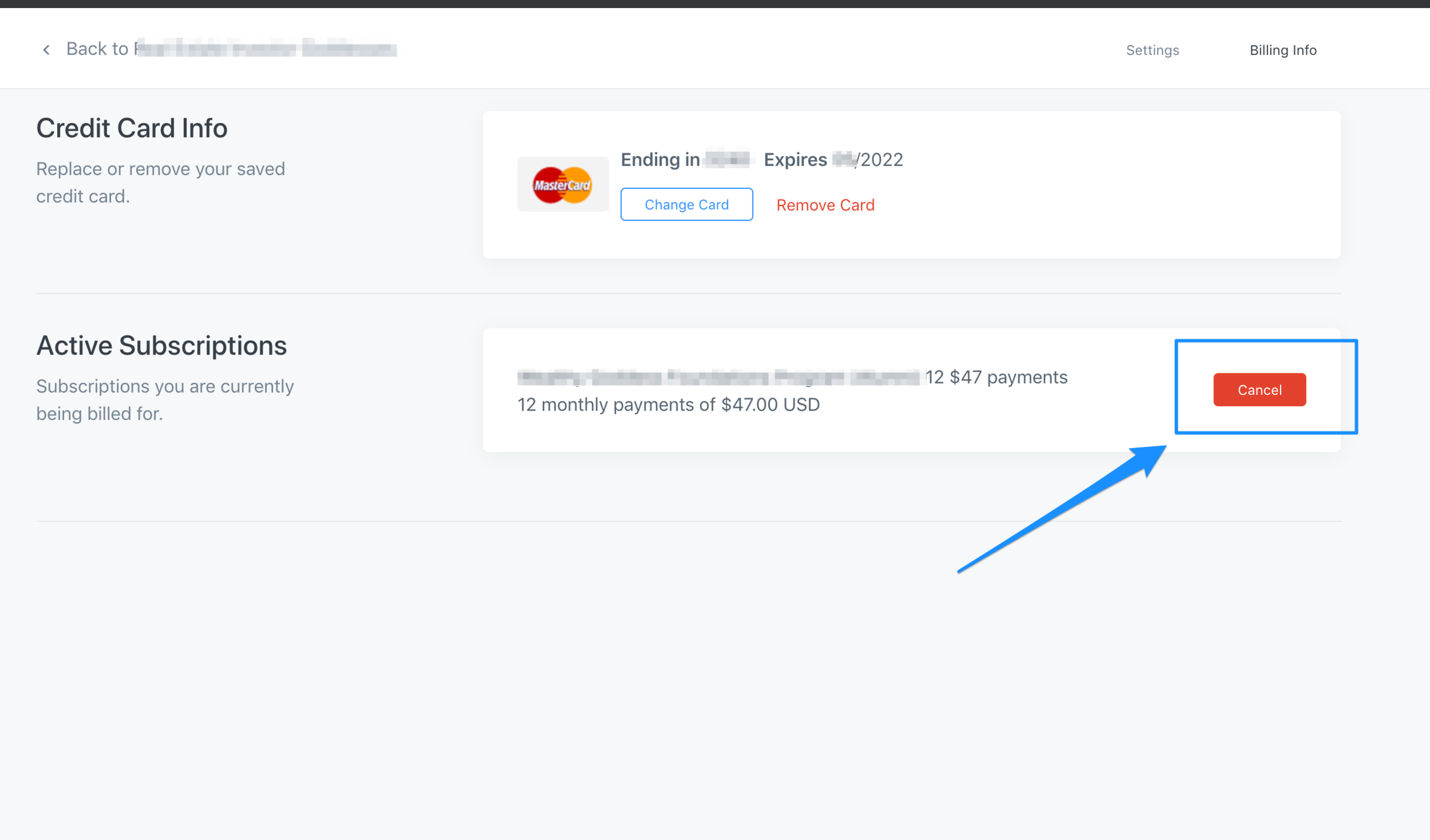
- Select Settings.
- Click Billing Info.
- Click Cancel Subscription.
- Follow the prompts to confirm cancellation.
If you do not see a cancel button, your membership may already be canceled, or your subscription may be managed through another payment provider for example, Paypal
If you need assistance, please contact us through the Contact page and we’ll be happy to help.
Instructions: How to Cancel Through PayPal
If you subscribed using PayPal, you must cancel your recurring payment directly within your PayPal account.
To Cancel a PayPal Subscription:
- Log in to your PayPal account.
- Click the Settings icon (gear icon).
- Select Payments.
- Click Manage Preapproved Payments.
- Locate your subscription to Recording Studio Rockstars or Home Studio Rockstars Community.
- Click Cancel or Cancel Automatic Payments.
- Follow the prompts to confirm cancellation.
Once canceled, your membership will remain active until the end of your current billing period and will not renew.
If you have any questions or need assistance, please contact us through the Contact page and we’ll be happy to help.